Home Security
Smart Locks & Access Control Systems
Keyless entry for front doors, internal rooms, garages and driveway gates - with temporary guest access, full entry logging and automations that greet you as you arrive.
Access Control for the Whole Property
Most people meet smart locks as a single product: a battery-powered unit replacing the thumbturn on the front door, controlled by its own app. It works, up to a point. What it cannot do is tell the heating you have arrived, let the cleaner in on a Thursday morning only, or open the gate at the end of the drive.
Proper access control treats every entry point in the property as part of one system. That includes the front and back doors, internal rooms where controlled access matters — a home office, a plant room, individual bedrooms in a shared house — along with garage doors, side gates and the driveway entrance. Each point can have its own rules about who gets in, when, and by what method.
We build these systems around Loxone, which handles access control natively rather than through a bridge to a third-party lock ecosystem. Because the Miniserver already knows who has just come in, keyless entry becomes a trigger for everything else: lights on, heating up, alarm disarmed, music resumed. The door stops being a barrier you have to deal with and becomes the moment your home responds to you.
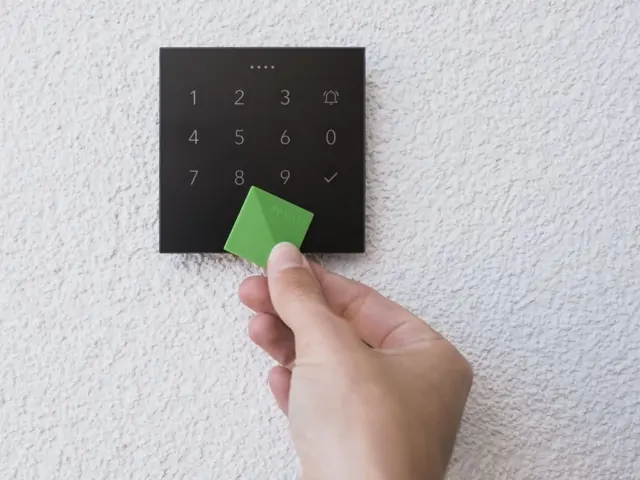
Types of Smart Access
There is no single best method of entry, and most properties end up using two or three in combination — one primary method for the household, plus a fallback that works when a phone is flat or a tag has been left in a coat pocket. Here is how the main options compare in practice.
Every system we install retains a mechanical override. Smart access should add convenience, never leave you locked out of your own home.
Smart Access Features
Once locks are part of the wider system, a set of genuinely useful smart lock features becomes available - the sort of thing that changes daily routines rather than simply replacing a key.
Automatic Locking on Departure
When the last person leaves and the system arms, doors lock themselves. It removes the "did I definitely lock the back door?" question that sends people back home from the end of the road.
Temporary Guest Access
Issue a guest access code or app permission that works only within a window you define — a decorator for a fortnight, a dog walker on weekday afternoons, family staying for a long weekend. It expires on its own.
Access Logging
A record of who entered which door and when, held on your own system. Reassuring for parents wanting to know the children are home from school, and essential for landlords managing shared properties.
Remote Unlocking
Let a courier into the porch or a neighbour in to feed the cat from wherever you are, using the app. Pair it with the doorbell camera and you can see exactly who you are admitting first.
Doorbell Camera Integration
The intercom feed appears on the nearest screen or your phone when someone calls. Verify who is there, speak to them, and release the door - all from the same interface. See CCTV & cameras →
Arrival Automations
Unlocking with your tag can disarm the alarm, light the hallway, bring the heating up and start the music you had on last. Different family members can trigger different scenes.
Per-User Permissions
Each person gets access only to the doors they need, on the schedule that suits. A cleaner might have weekday access to the main house but not the office or the garage.
Lockdown Mode
A single command secures every external door and gate at once. It can also be triggered automatically by the alarm system when an intrusion is confirmed.
For Landlords & Property Managers
HMO & Multi-Occupant Access Control
Shared houses create an access problem that ordinary locks handle badly. Every tenant changeover means recutting keys or replacing barrels, keys quietly multiply through copies you never authorised, and there is no way of knowing who has been where. Multi-occupant access control solves all three at once.
With a Loxone-based system, each tenant receives an NFC tag granting access to the building entrance, communal areas and their own room, and nothing else. When they move out, the tag is deactivated in seconds and a new one issued to the incoming tenant. No locksmith, no void period spent waiting for keys, and no lingering doubt about how many copies are still out there.
Room-Level Control That Pays for Itself
The same infrastructure that manages access also manages the running costs of the building. Because the system knows which rooms are occupied and which tenants are currently in the property, room-level heating can follow actual occupancy rather than a blanket schedule - a meaningful saving in a house where bills sit with the landlord. Communal lighting can run on presence detection, and heating in an empty room between tenancies can drop back to a frost-protection setpoint automatically.
Our Rushden HMO project is a good example of the approach: individual room access for each tenant, remote management of the whole property without a site visit, communal area monitoring, and room-by-room heating control tied to the same occupancy data. The landlord manages tags, permissions and heating schedules entirely from the app.
For portfolio landlords, several properties can be managed from one interface, and access rights can be granted to letting agents or maintenance contractors on a time-limited basis - enough to do the job, expiring automatically afterwards.
- Individual room access with no shared keys or communal barrels
- Instant tenant changeover - deactivate one tag, issue another
- Full audit trail of entries to communal and private areas
- Remote management without attending the property
- Room-level heating control linked to occupancy
- Time-limited access for contractors and letting agents
Access logging in shared properties involves processing personal data. We will help you set proportionate retention periods and advise on what tenants should be told, so the system supports your obligations rather than complicating them.
Gate & Driveway Automation
For properties set back from the road, the driveway gate is the first line of security and the daily inconvenience that gets remembered most. Driveway gate automation removes the friction entirely: the gate recognises your approach and is already opening as you turn in, then closes behind you without anyone touching a button.
We integrate both swing and sliding gate motors into the wider smart home system, so the gate becomes another controllable element rather than an isolated installation with its own remote control that lives in one particular car. Opening methods can be combined freely — a fob in each vehicle, a keypad at the pillar for visitors, geofencing that triggers as you reach the end of the lane, and app control for anyone approaching on foot.
An intercom at the gate completes the picture. A DoorBird or Loxone unit lets you see and speak to a visitor from inside the house or from your phone, then release the gate for a delivery driver without walking down the drive in the rain. Where the gate is out of sight of the house, a camera at the entrance gives you a view of who is waiting and what they arrived in.
Vehicle detection loops set into the driveway surface handle automatic opening on exit and prevent the gate closing on a car that is halfway through. Safety edges and photocells are fitted as standard — automated gates carry real obligations under UK machinery safety requirements, and we install and document them accordingly.
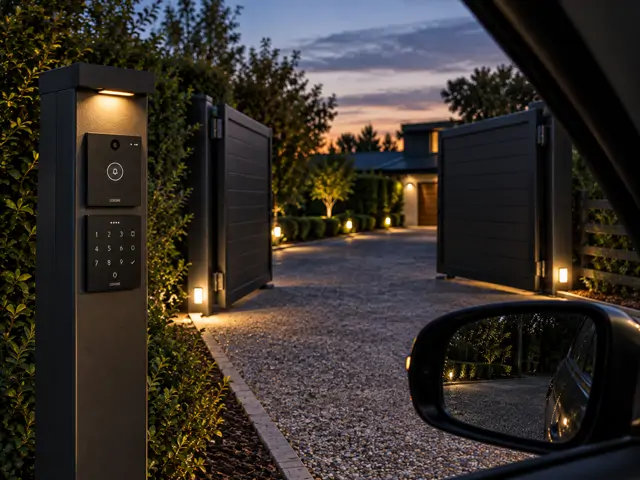
Gate & Access Control Automation Projects
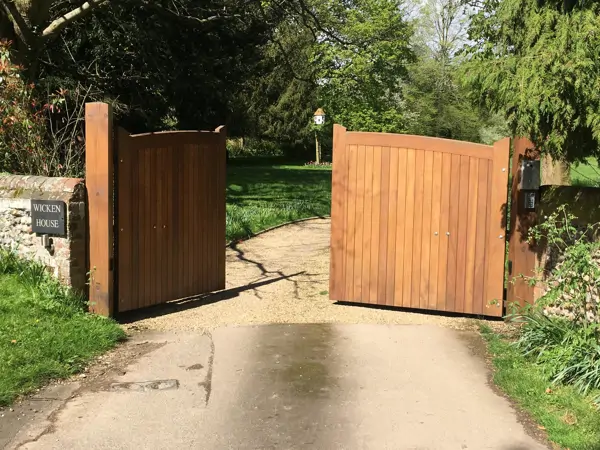
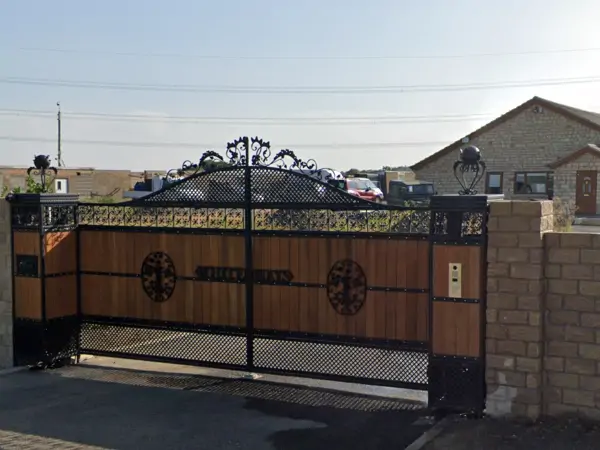
Gate and entrance automation features in a number of our installations. At Wicken Bonhunt, the driveway gates form part of a whole-home Loxone system with intercom integration and automatic operation on approach. At Grantham, gate control sits alongside the wider security and access system, managed from the same app as everything else in the property. Both projects show the same principle: the gate behaves as part of the house rather than as a separate piece of equipment.
Common Questions
Smart Lock Questions
What happens if the power goes off?
Access control circuits are specified with battery backup so doors continue to operate through a mains failure. Beyond that, every installation keeps a mechanical override - a physical key that works regardless of the state of the electronics. Electric gates have a manual release so they can be opened by hand. You will never be locked out because of a power cut.
Can smart locks be fitted to my existing doors?
Usually. Composite, uPVC and timber doors with a standard euro-cylinder multipoint lock are straightforward - the mechanism is replaced with a motorised equivalent and a reader is fitted nearby. Older doors, unusual mortice locks and some heritage joinery need more thought, and occasionally a new door leaf is the more sensible answer. We assess this on site before recommending anything.
Is a smart lock more vulnerable than a normal lock?
A well-specified system is generally more secure, not less. The physical locking mechanism is the same standard multipoint hardware, so the door is no easier to force. What changes is the credential: NFC tags cannot be copied like a key cut at a market stall, lost tags are cancelled instantly, and every entry is logged. Because Loxone processes access decisions locally, there is also no cloud account standing between you and your door for an attacker to target.
Can I give someone access without being there?
Yes, in several ways. You can unlock remotely through the app after checking the doorbell camera, issue a temporary code valid for a specific window, or grant app access to someone's phone for a defined period. All three are logged, and all three can be revoked at any point.
Can access control be added to an existing Loxone system?
Almost always. If you already have a Loxone installation, adding NFC readers, motorised locks or gate control is a matter of extending the existing Tree network and programming the new logic - there is no new platform or second app involved. We do the same for existing KNX and Control4 systems, though the integration route differs. Get in touch and we will confirm what is practical in your property.